Claude Code in VS Code

Give Claude Code a task list that remembers.

Claude sessions end, chats get lost and the next session starts from zero. Cortex ties every session to the task it worked on, so the plan, the changes and the status stay where you will look for them.

Free for 14 days with every feature. Then $14.99 once.

Every session belongs to a task

Start Claude Code from a todo and Cortex links the session to it. Plans and recaps land on the same todo.

A week later you open the todo and find the plan, the files Claude changed and the session itself. You don’t scroll through old chats.
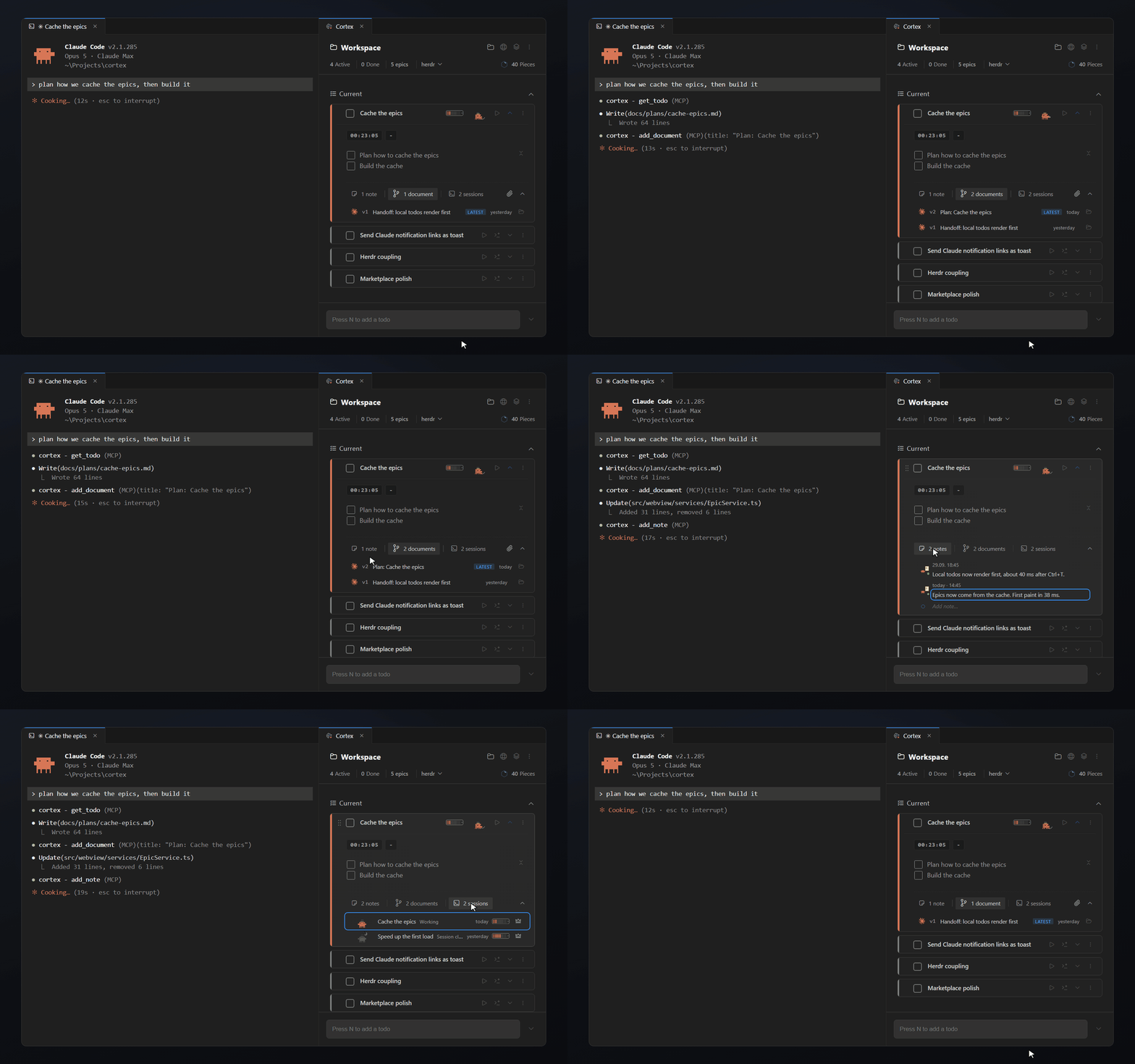
A Claude Code plan and session linked to the Cortex todo they belong to

New session, same context

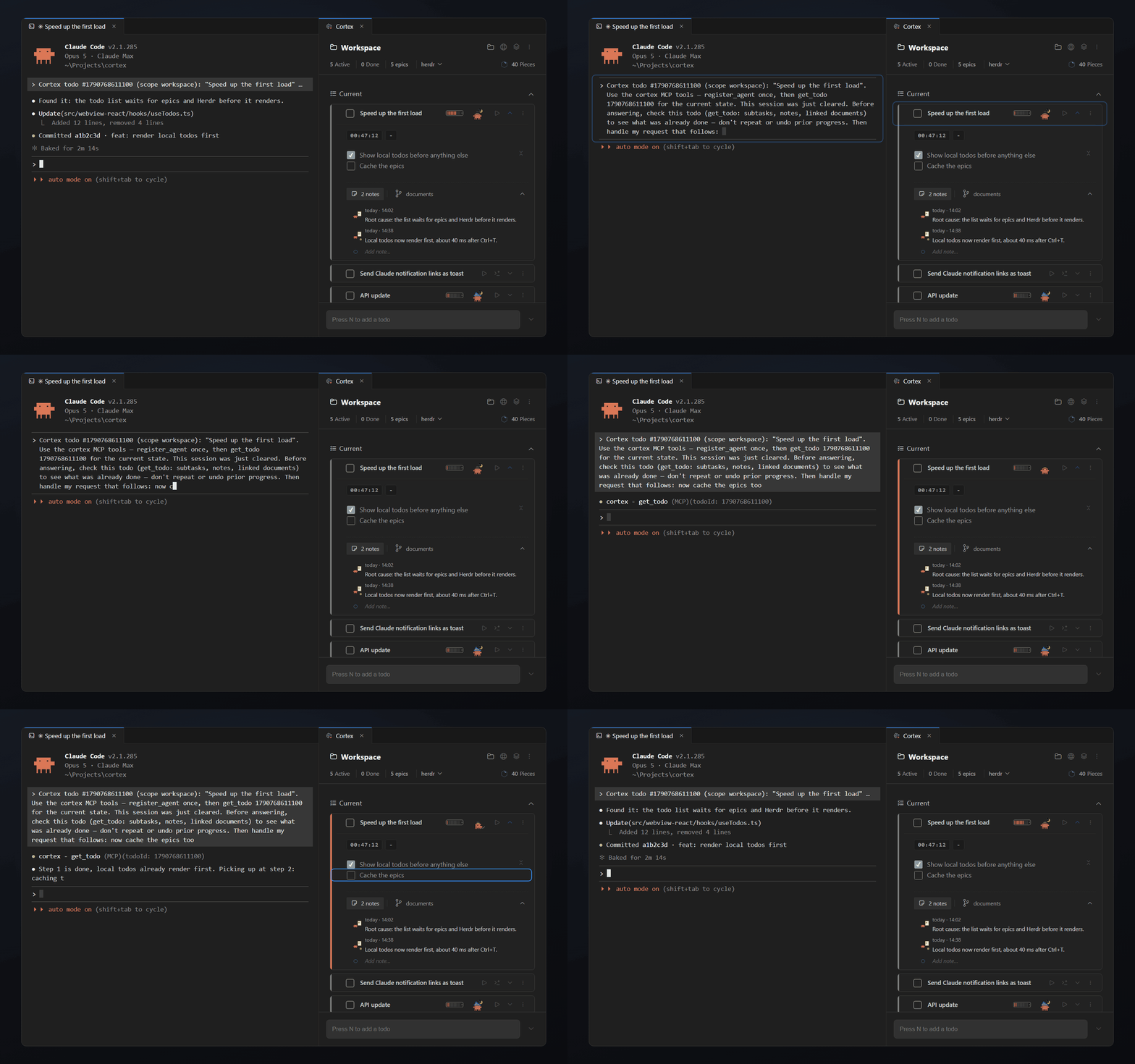
When a session starts from a todo, or after /clear, Cortex pre-fills the input with a short line that tells Claude to read the todo first.

Claude gets the goal, what is already done and the linked documents. You skip the recap, and the session spends fewer tokens on catching up.

Nothing is sent on its own. You type your request after the line and press Enter.

A fresh Claude Code session started from a Cortex todo, with the input pre-filled to read the task first

Live status for every running session

Running three agents at once? Each linked todo shows what its session is doing.

  • Working means Claude is busy.
  • Needs your answer means Claude is waiting for you.
  • Done means the turn is finished and the result is ready to read.
  • Closed means the terminal is gone.

Turn on the auto timer and the todo’s timer runs only while Claude works. The tracked time is the agent’s working time, not your reading time.

Works with Herdr

Prefer running Claude in Herdr? Cortex picks it up without setup.

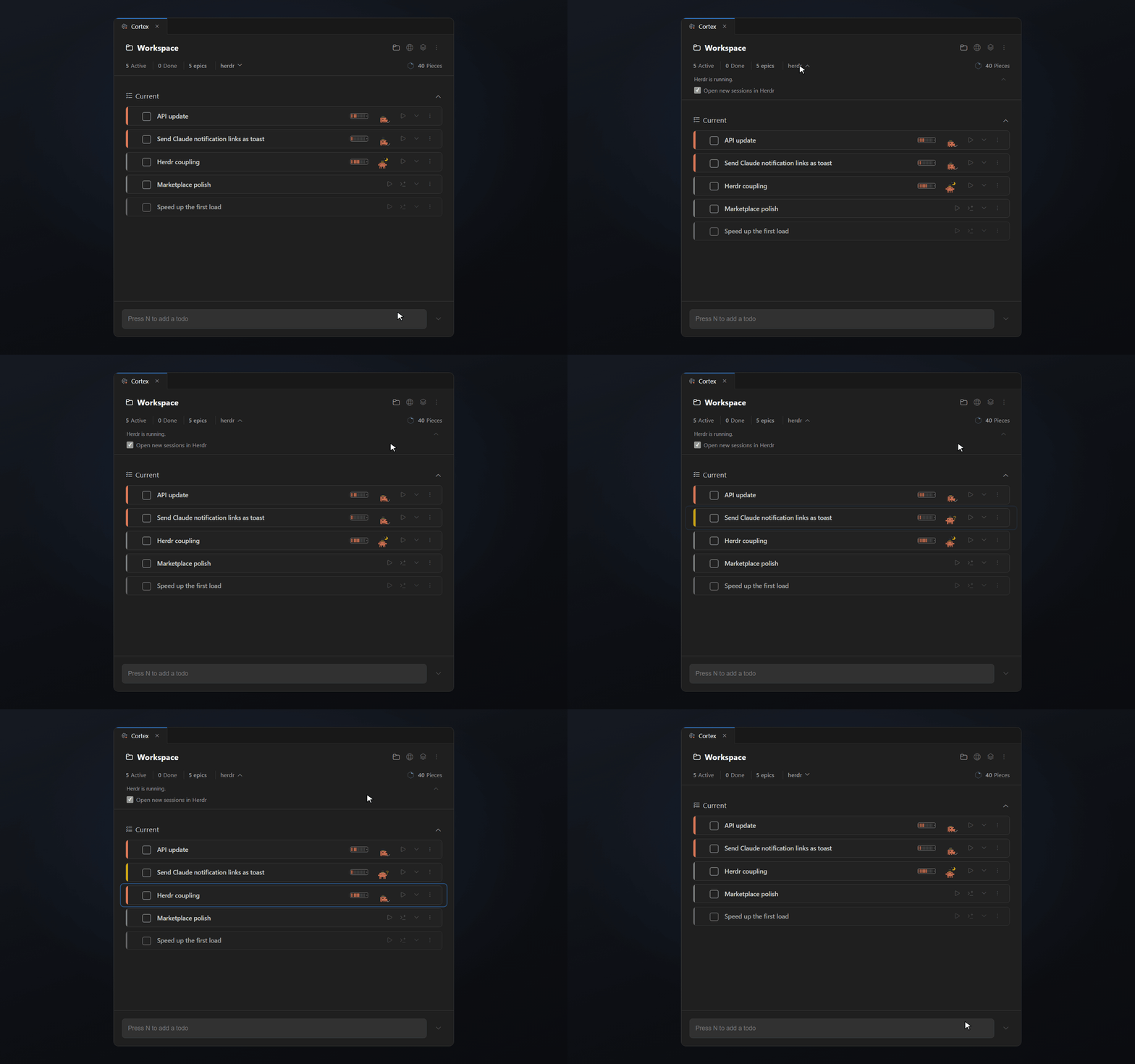
Sessions link to their task and show their live status. A click on the todo takes you to the right Herdr pane.

Claude sessions running in Herdr with their live status shown on the linked Cortex todos

Your todos as an MCP server

Cortex runs a local MCP server. Claude Code and other MCP clients can read your todos and report back.

An agent reads the todo before it starts. When it finishes a step, it ticks the subtask. When the work is done, it marks the todo as pending, and you check it before it counts as complete.

The server listens on 127.0.0.1 only and needs a token. One VS Code window holds the port and serves all your workspaces.

Set it up in four steps

  1. Install Cortex from the Visual Studio Marketplace or Open VSX.
  2. Open the Command Palette and run "Cortex: Set up Claude Code (MCP)". Cortex registers its MCP server with Claude Code.
  3. Turn on Claude Link in the Cortex settings. Cortex asks before it adds its hooks to ~/.claude/settings.json.
  4. Start a Claude Code session from a todo. From now on the session, its plans and its status belong to that todo.

Your editor, your choice

Works in VS Code, Cursor and every fork

Cortex runs wherever VS Code extensions run. Install it from the Visual Studio Marketplace in VS Code, or from Open VSX in Cursor, Windsurf, VSCodium and other forks.

Questions about Cortex

  • Does Cortex send my code or todos to a server?

    No. The session status comes from small hooks that write status files on your machine. The MCP server listens on 127.0.0.1 only and needs the token in ~/.cortex/mcp-token.

  • What can Claude Code do with Cortex over MCP?

    Read and update your todos, epics, notes and open questions. An agent can tick off subtasks, mark a todo as pending for your review and leave you a note.

  • Does it work with AI agents other than Claude Code?

    The MCP server works with any client that speaks the Model Context Protocol. Run "Cortex: Copy MCP Config" and paste the config into that client. Live session status is built for Claude Code.

  • Can I see how many tokens a session used?

    Yes, if you turn it on. Cortex reads your local Claude transcripts and shows total tokens and an estimated API-equivalent dollar value. It is an estimate at list prices, not a bill.

  • Can I turn the Claude features off again?

    Yes. Run "Cortex: Remove Claude Integration". It removes the hooks, the MCP entry and the token.

Now it's on you.

Start your next task with Cortex. Keep the context ready for tomorrow.

Free for 14 days with every feature. Then $14.99 once.