


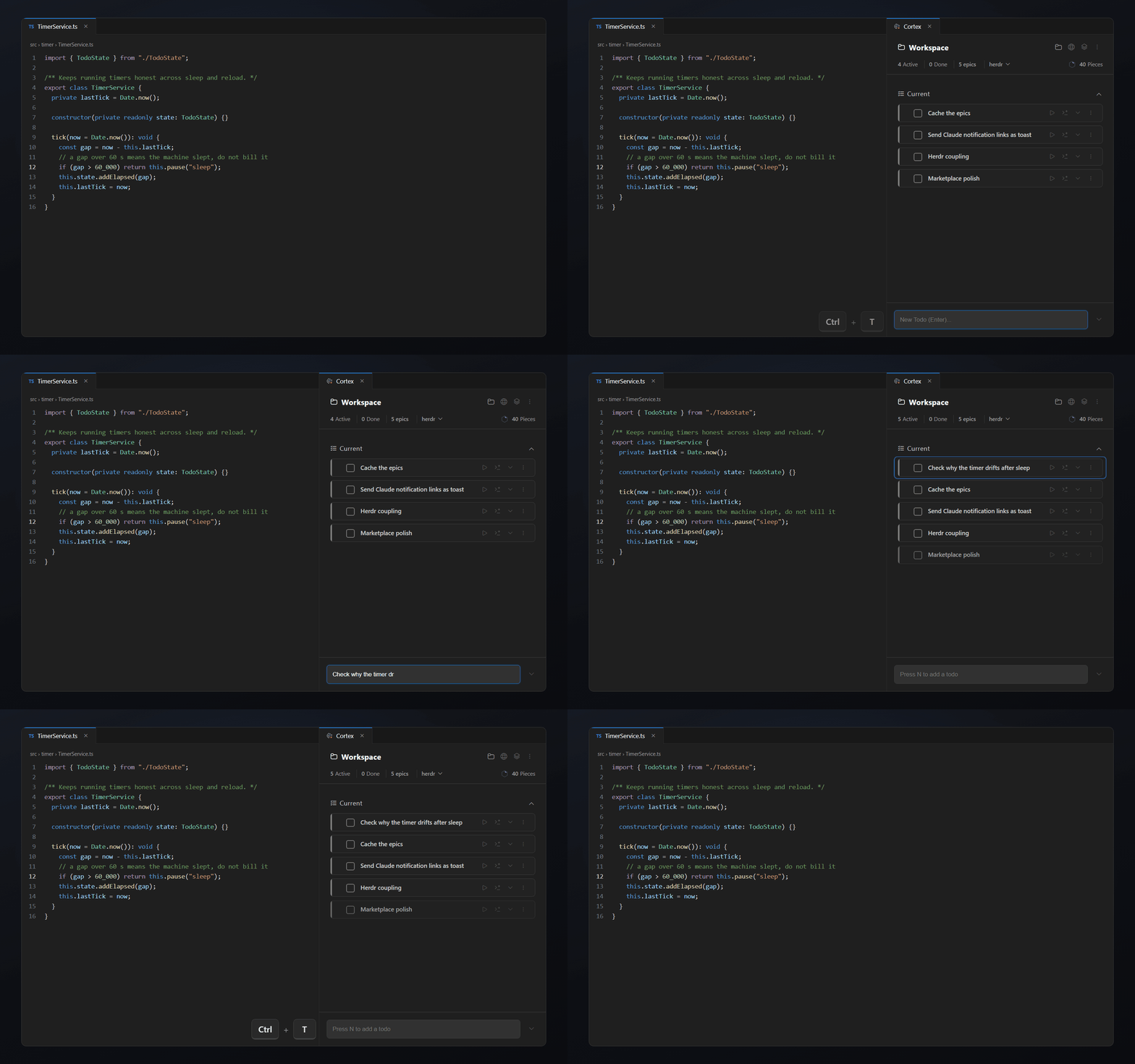
Ctrl / Cmd + T, and you’re in
No setup and no config. Open Cortex from anywhere in VS Code and offload a thought, a task or a note in seconds.
VS Code extension
Plan and track project tasks inside VS Code. Keep them with your workspace, and bring Claude into the same task context when you need help.
Free for 14 days with every feature. Then $14.99 once.
Cortex inside VS Code
VS Code, Cursor & every fork
Cortex keeps your working context inside your project. Everything stays bound to the workspace, so you pick up right where you left off.
No setup and no config. Open Cortex from anywhere in VS Code and offload a thought, a task or a note in seconds.
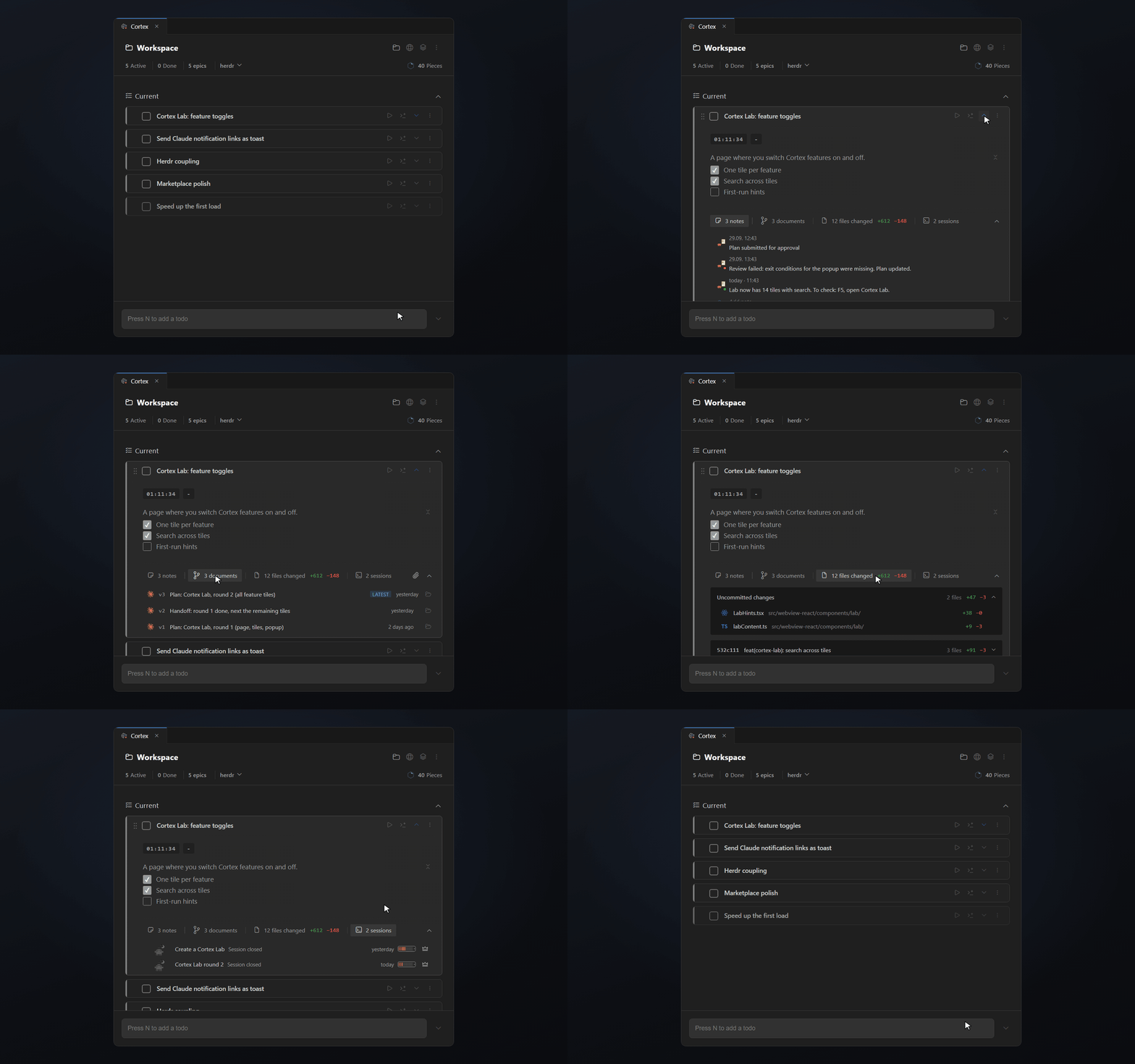
Descriptions, notes, documents, changed files and Claude sessions stay attached to the todo. When you come back, you don’t reconstruct where you left off.
Plans, recaps and Claude Code sessions don’t disappear inside isolated chats. Cortex links them to the task they belong to, so you find and reuse them later.
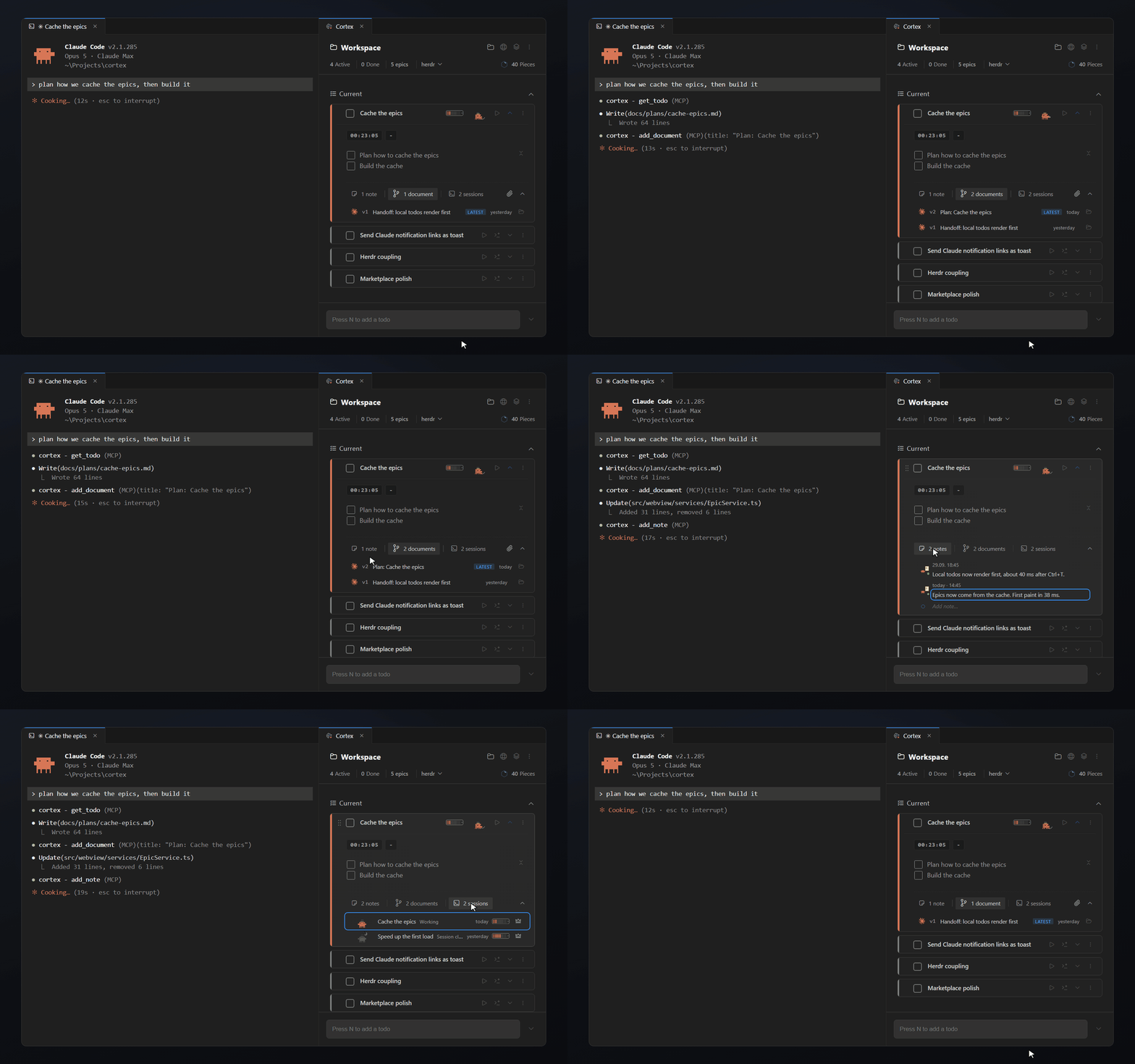
The next Claude session gets the goal, what is already done and the documents of the task. You skip the recap, and the session spends fewer tokens on catching up.
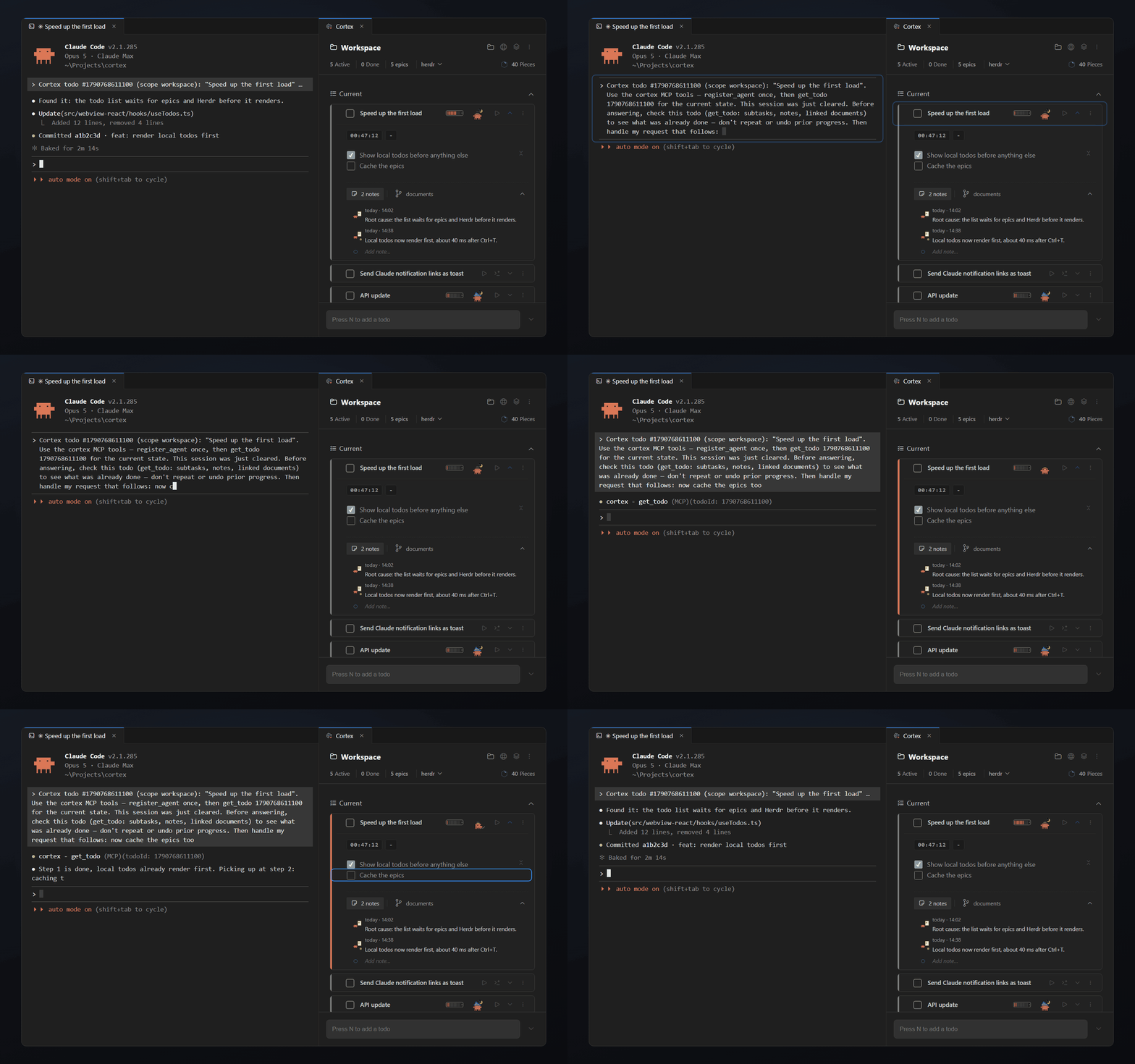
Project managers are for bigger goals. Cortex is for the short-term tasks, ideas and notes you need while working. Open a workspace and everything you planned, changed and still need to do is there.
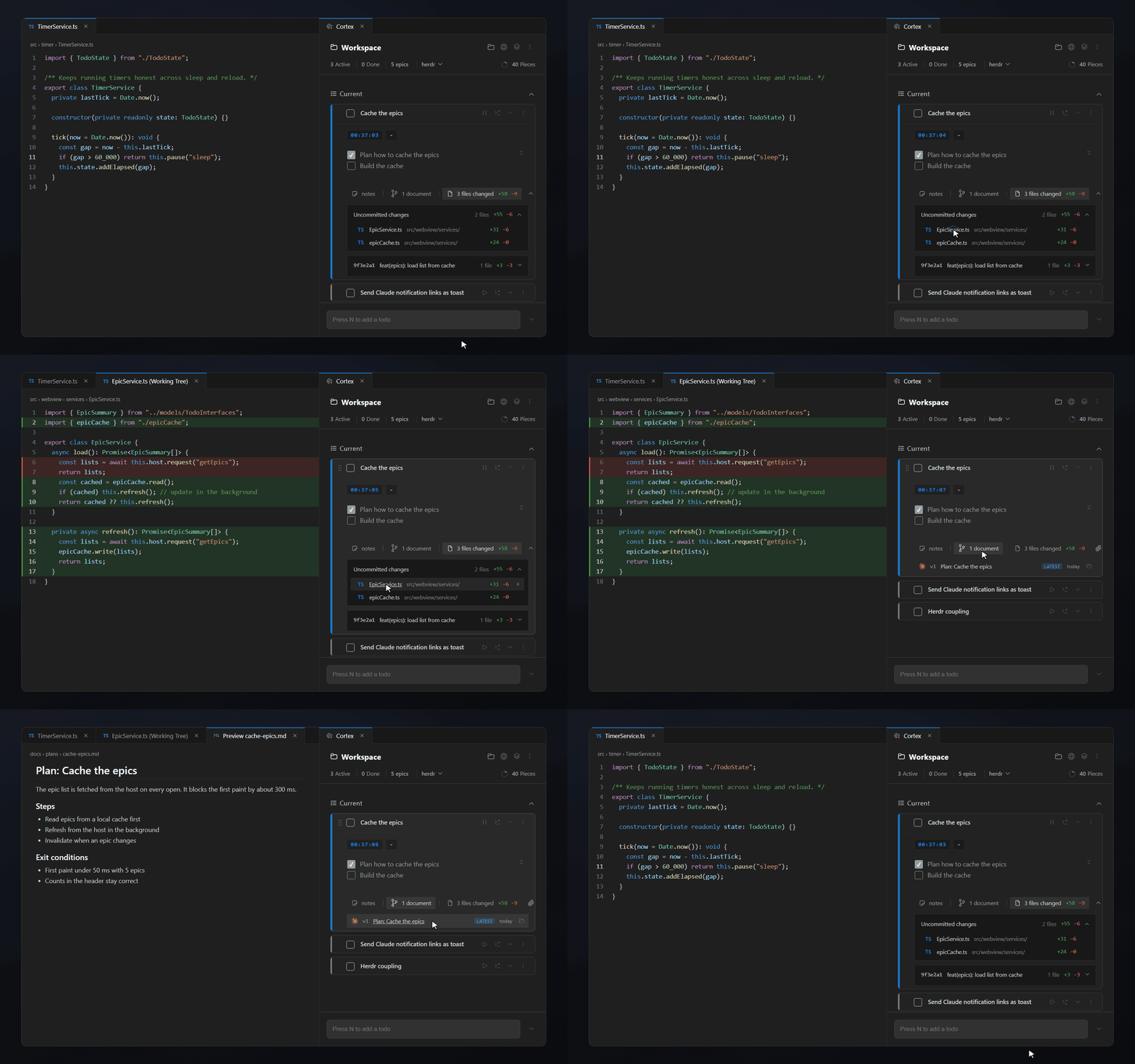
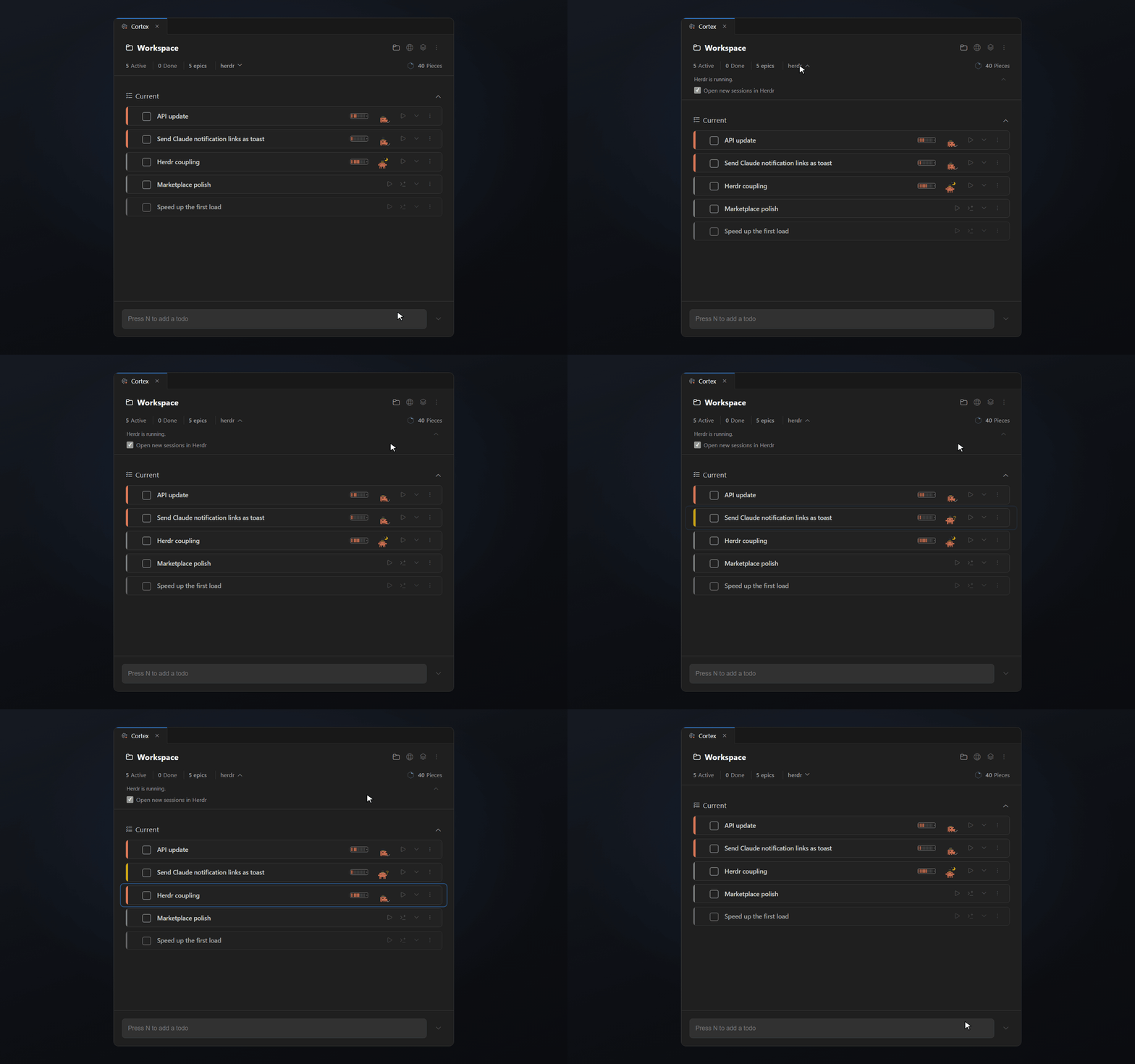
Run Claude in Herdr? Cortex picks it up. Sessions link to their task, show their live status, and a click takes you to the right pane.
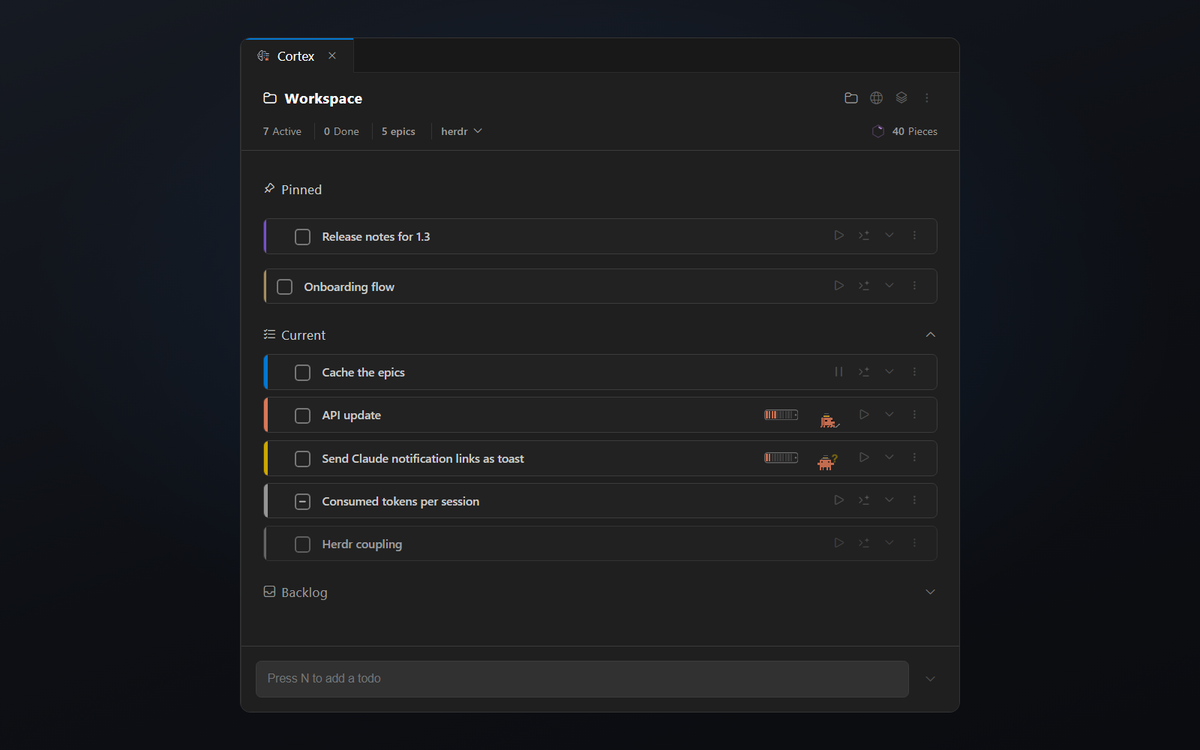
Current, Pending, Pins, Backlog and Epics keep active work, waiting items and ideas for later apart. You see at a glance what needs you now and what can wait.
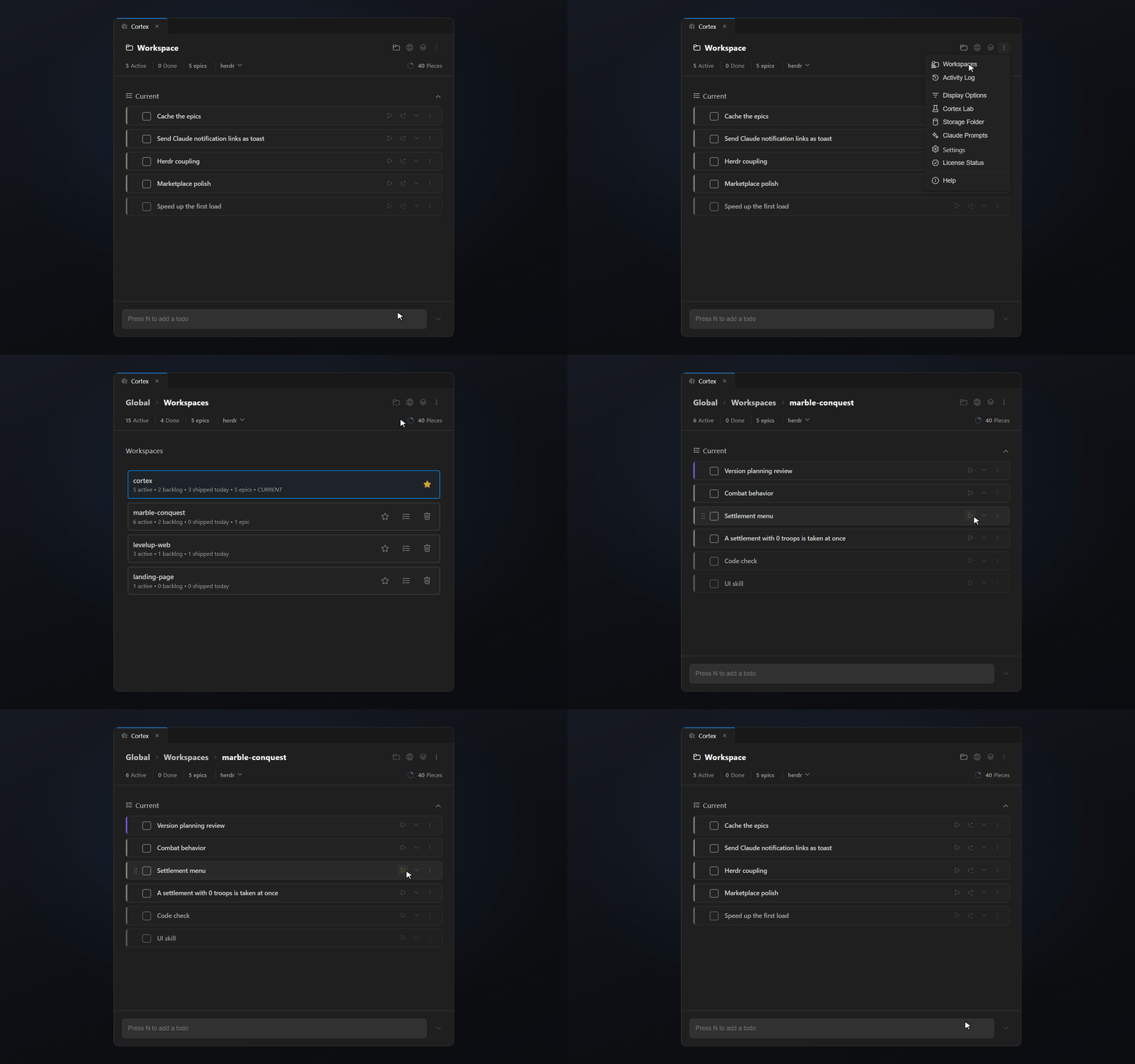
Inline Workspaces show which projects still have open todos and how many. Jump straight into their tasks without switching the workspace.
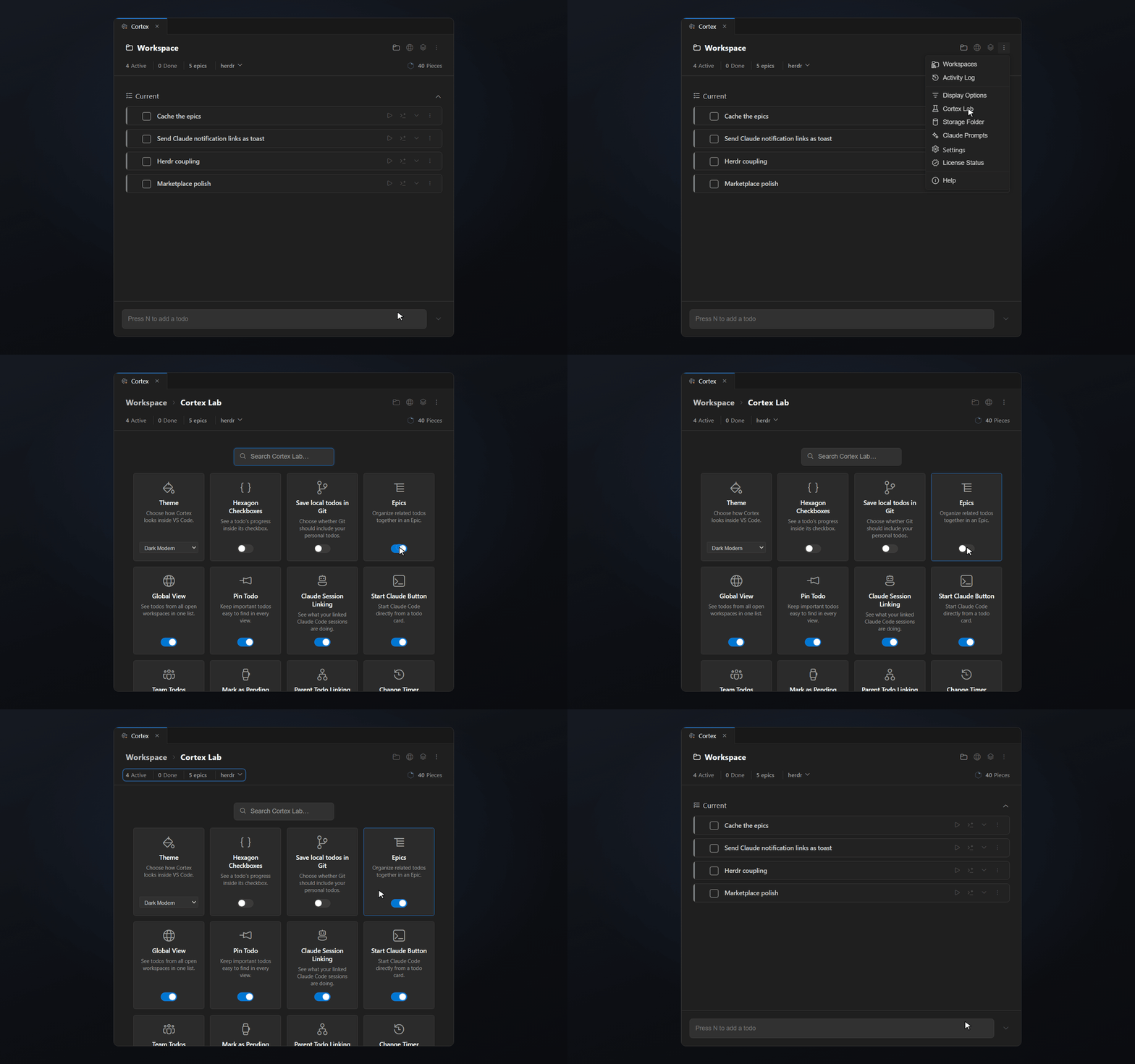
In Cortex Lab you decide which features are visible. Turn on only what you use.
Your editor, your choice
Cortex runs wherever VS Code extensions run. Install it from the Visual Studio Marketplace in VS Code, or from Open VSX in Cursor, Windsurf, VSCodium and other forks.
Cortex is a VS Code extension for todos and working context. Each todo keeps its notes, code links, time, changed files and Claude Code sessions, and the list belongs to the project you have open.
Yes. Cortex is on the Visual Studio Marketplace for VS Code and on Open VSX for forks such as Cursor, Windsurf and VSCodium. It needs VS Code 1.93 or a fork built on it.
Every feature is free for 14 days. After that a licence costs $14.99 once. There is no subscription. When the trial ends without a licence, your todos stay on disk and nothing is deleted.
No. Todos, notes, epics, timers and workspaces work on their own. The Claude Code features are optional and stay off until you turn them on.
Workspace todos live in a .cortex folder in your project. Cortex has no account and no cloud sync. The optional MCP server for AI agents only listens on 127.0.0.1 and needs a local token.
No. Jira and Linear plan team goals over weeks. Cortex holds the short-term tasks, ideas and context you need while you code. Many developers use both.
Start your next task with Cortex. Keep the context ready for tomorrow.
Free for 14 days with every feature. Then $14.99 once.


