VS Code task manager

A task manager for developers, inside VS Code.

Cortex sorts your tasks into clear views, groups bigger work into epics, tracks time per task and shows open work across all your projects. You never leave the editor to plan.

Free for 14 days with every feature. Then $14.99 once.

Five views for five kinds of work

  • Current holds what you work on now.
  • Pending holds work that is done but not checked yet.
  • Pins keep the todos you need often within reach.
  • Backlog holds ideas for later, out of your way.
  • Epics group the todos of one bigger feature.

One look tells you what needs you now and what can wait.
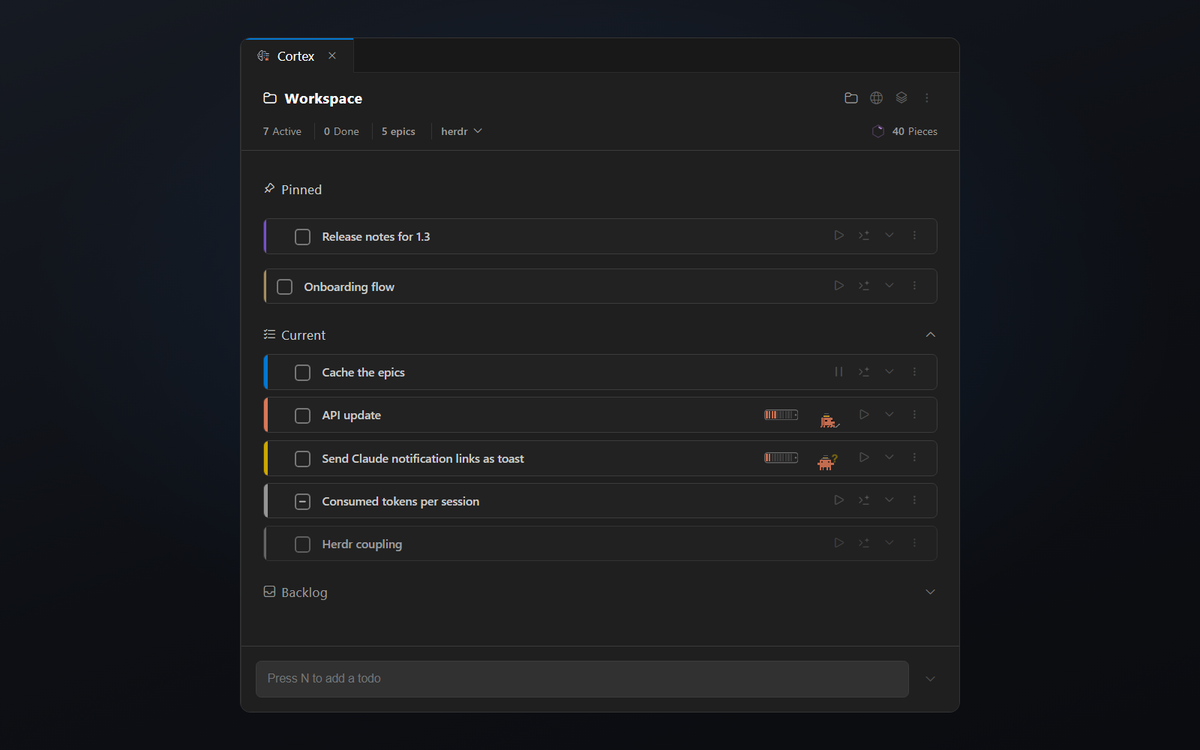
The Cortex views Current, Pending, Pins, Backlog and Epics side by side

Epics for work that takes more than a day

Some work doesn’t fit into one todo. A new feature has a backend part, a UI part and a test part. An epic groups those todos under one name.

Each epic belongs to its workspace. When the work is done, the epic goes to the archive and your list stays short.

Time per task, without a separate tracker

Start the timer on a todo and give it an estimate. Cortex shows when you go over the estimate.

Idle detection pauses running timers after a set number of minutes without keyboard or mouse input. The away time is taken out again, so the number stays honest.

While the timer runs, Cortex also records which files you changed. You see later what the task touched.

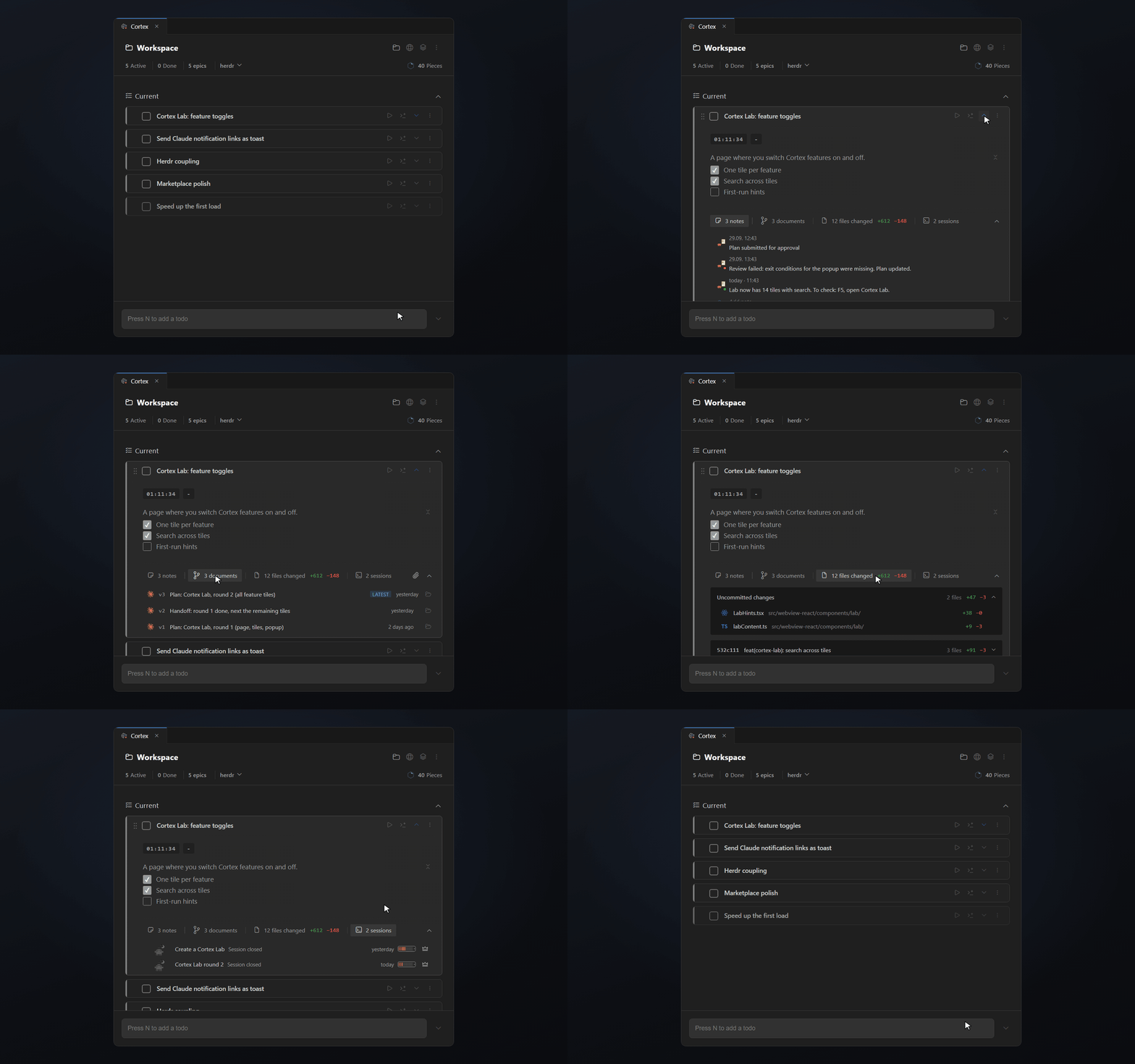
A Cortex todo opened in VS Code with its description, notes, documents, changed files and Claude sessions attached

Open work across all your projects

You shouldn’t have to open every project to see what is still waiting there.

Inline Workspaces show which projects have open todos and how many are active. Jump into their tasks without switching the workspace.

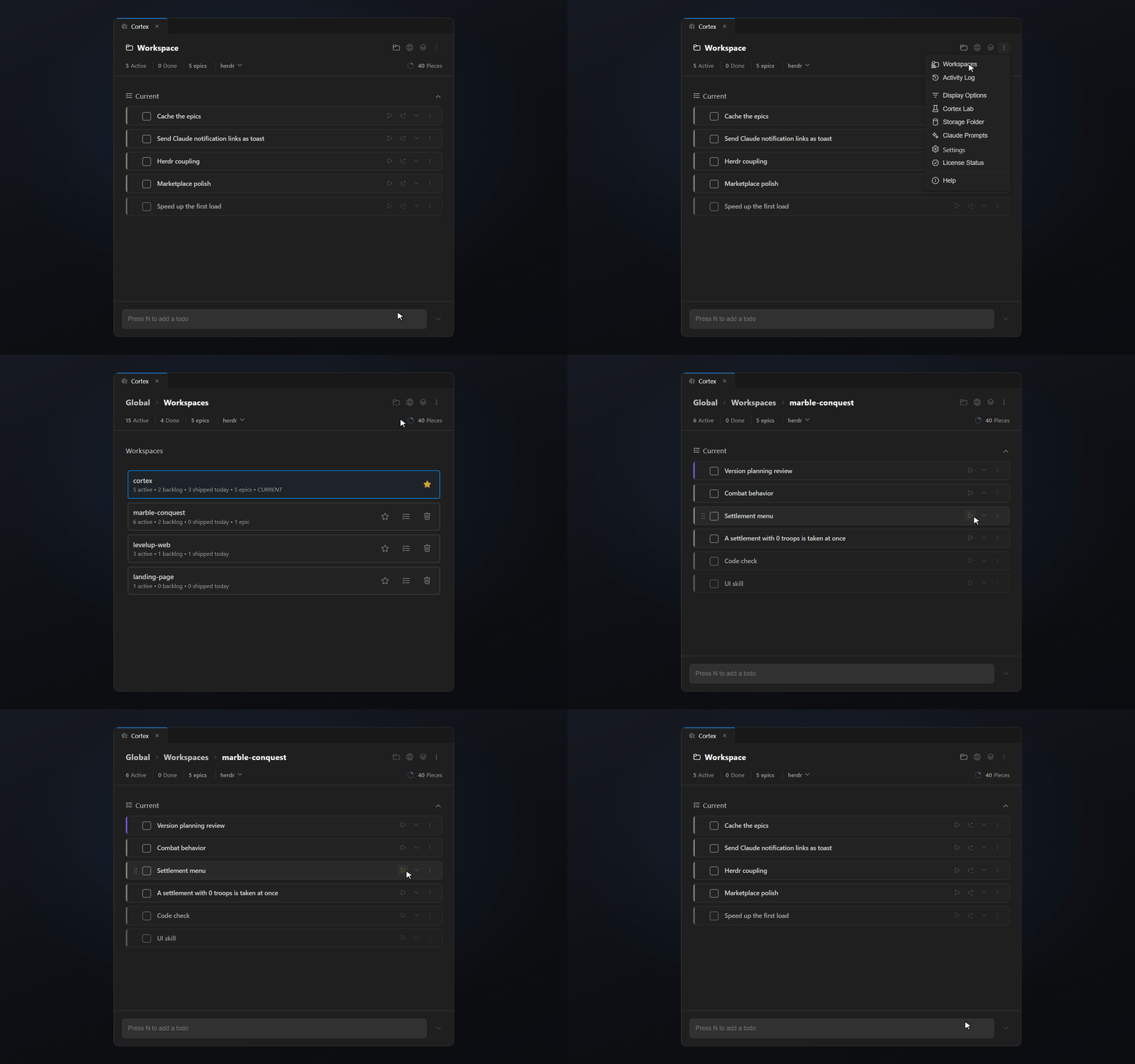
Inline workspaces in Cortex listing the open todos of other projects

Cortex next to Jira, Linear and GitHub Issues

Team tools are good at roadmaps, sprints and assignments. They are slow for the small things that come up while you code. A bug you notice on the way, a refactor idea, a question for tomorrow.

Cortex catches those in a second and keeps them with the code. Use your team tool for the plan. Use Cortex for the next hours and days of work.

Only the features you use

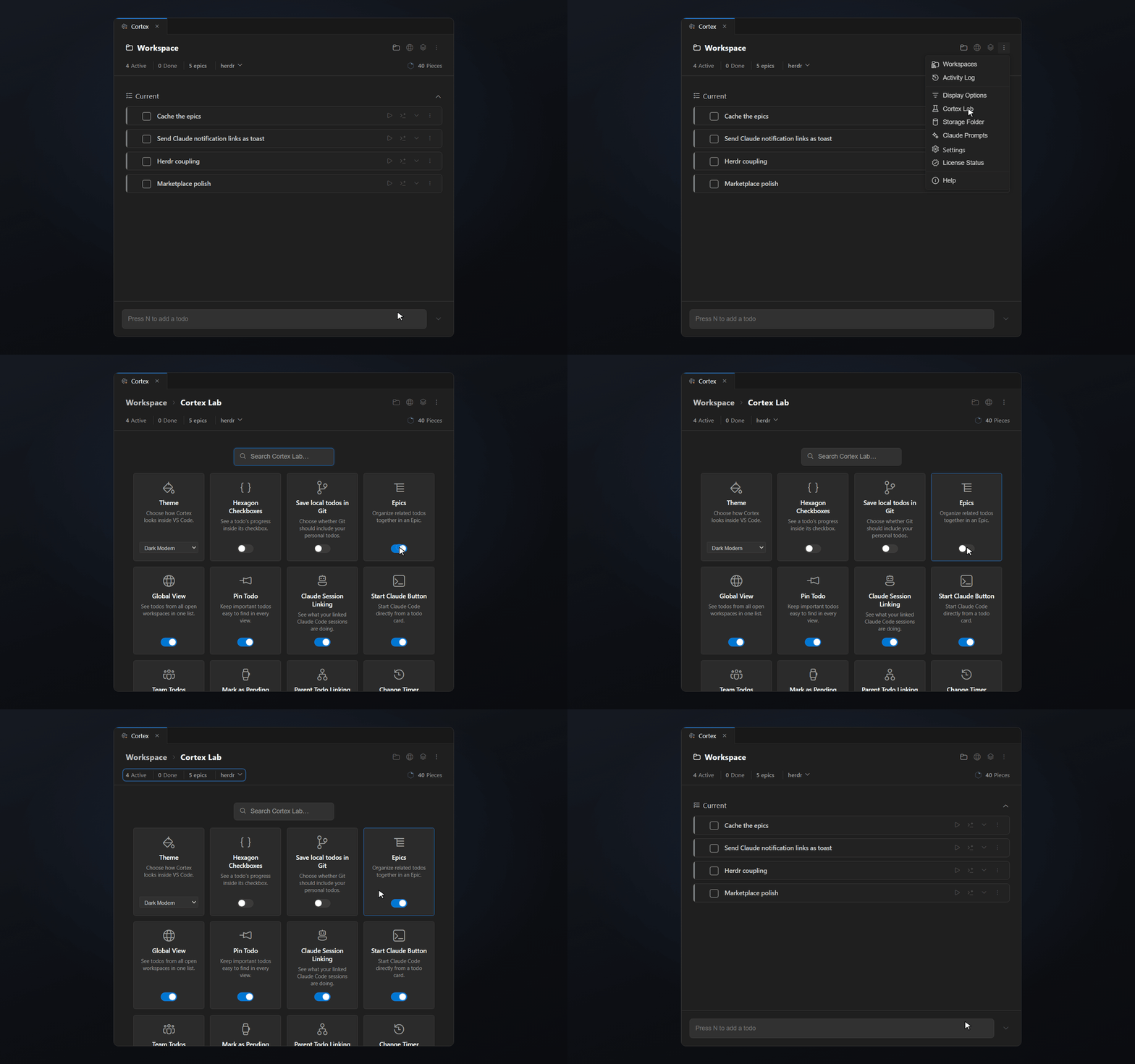
Not every developer works the same way. Cortex Lab lists the features as toggles.

Turn off what you don’t need, and Cortex stays a simple todo list. Turn it on later when you want more.

Cortex Lab with toggles that show or hide single Cortex features

Your editor, your choice

Works in VS Code, Cursor and every fork

Cortex runs wherever VS Code extensions run. Install it from the Visual Studio Marketplace in VS Code, or from Open VSX in Cursor, Windsurf, VSCodium and other forks.

Questions about Cortex

  • What is a developer task manager?

    A task manager built around how developers work. It sits in the editor, knows which project a task belongs to and keeps code, notes and time with the task instead of in a separate app.

  • Can I track time per task in VS Code?

    Yes. Every Cortex todo has a timer and an estimate. With idle detection on, Cortex pauses running timers when you are away and removes the away time.

  • Does Cortex replace Jira, Linear or GitHub Issues?

    No. Those tools plan team goals over weeks. Cortex holds the tasks, ideas and context of the next hours and days, inside the editor.

  • How do I see tasks from other projects?

    Inline Workspaces list your other projects with their open todo count. You open their todos from there without switching the VS Code window.

  • What does the Cortex task manager cost?

    Every feature is free for 14 days. After that a licence costs $14.99 once, with no subscription.

Now it's on you.

Start your next task with Cortex. Keep the context ready for tomorrow.

Free for 14 days with every feature. Then $14.99 once.