


Add a todo without leaving the editor
Press Ctrl + T (Cmd + T on macOS) and the Cortex panel opens. Type the todo and press Enter.
You don’t switch to a browser tab or a notes app. The thought is out of your head and you’re back in the code.
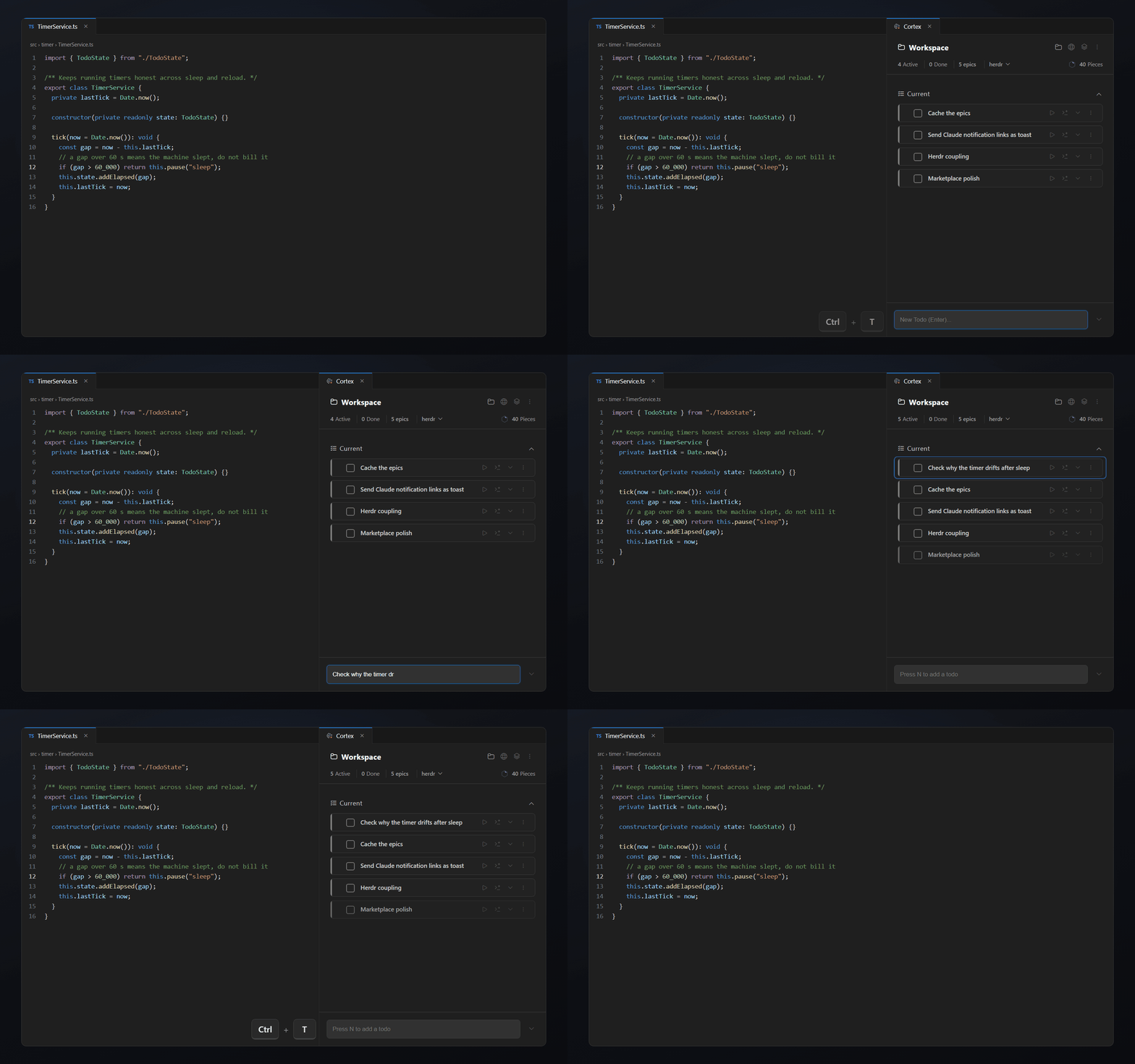
VS Code todo extension
Cortex adds a todo panel to VS Code. Every todo keeps its notes, linked code, time and changed files, and the list belongs to the project you have open.
Free for 14 days with every feature. Then $14.99 once.
Press Ctrl + T (Cmd + T on macOS) and the Cortex panel opens. Type the todo and press Enter.
You don’t switch to a browser tab or a notes app. The thought is out of your head and you’re back in the code.
Most developers start with one of three options. Each one works until the list grows.
| TODO comments | TODO.md file | Cortex | |
|---|---|---|---|
| Where it lives | In the code | One file in the repo | A panel in VS Code, stored per workspace |
| Notes per task | One line | Whatever you type | Markdown description plus separate notes |
| Links to code | Only the line it sits on | None | Select code and link it to the todo |
| Time and estimate | No | No | Timer and estimate per todo |
| Changed files | No | No | Files you changed while the timer ran |
TODO comments are still the right tool for a note on one line of code. Cortex is for work that needs more than one line.
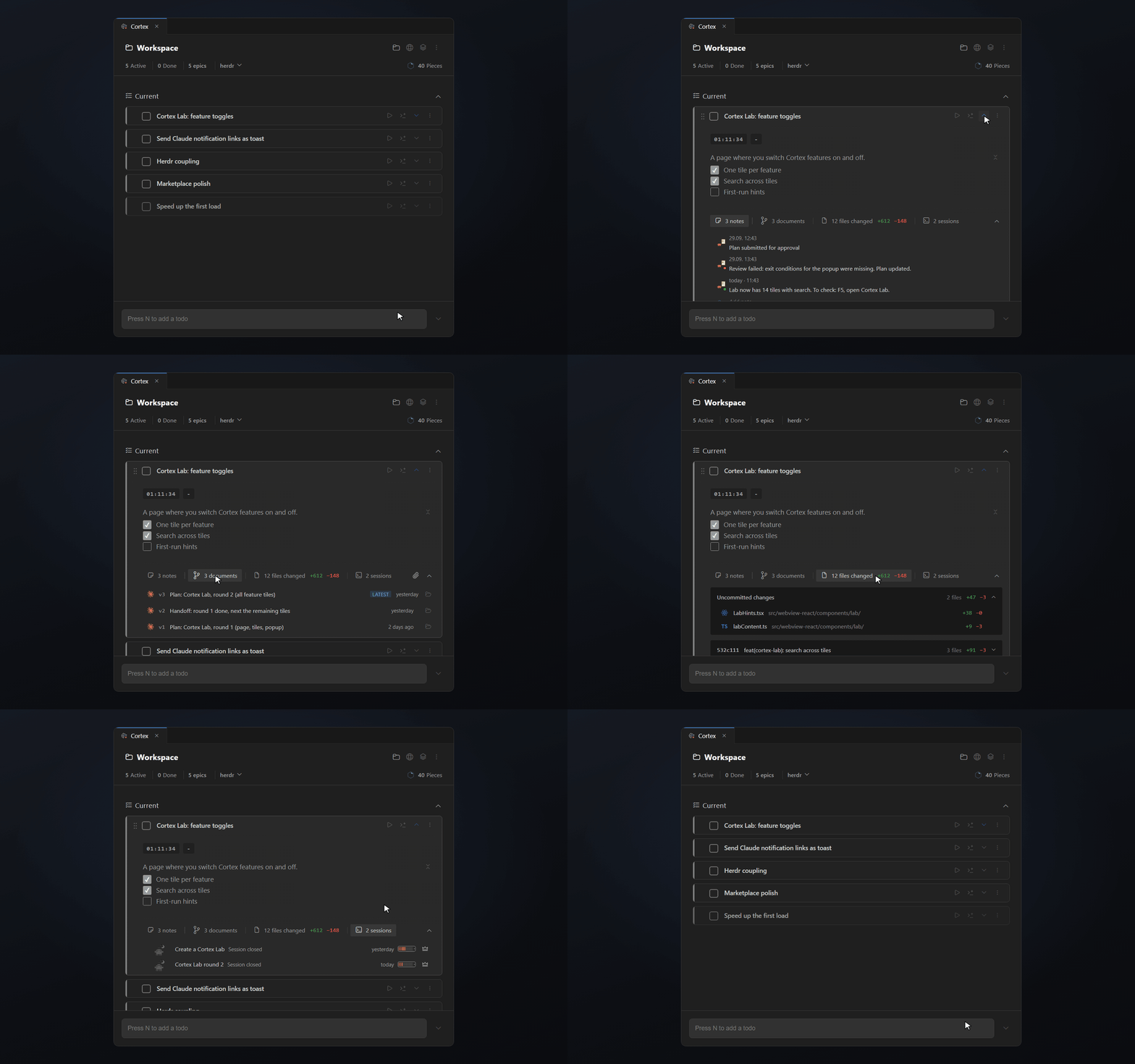
A global todo list mixes every project into one pile. Cortex stores workspace todos in a .cortex folder inside the project.
Open a different folder and you see that project’s todos. Global todos are there for tasks that don’t belong to one project, like “renew the domain”.
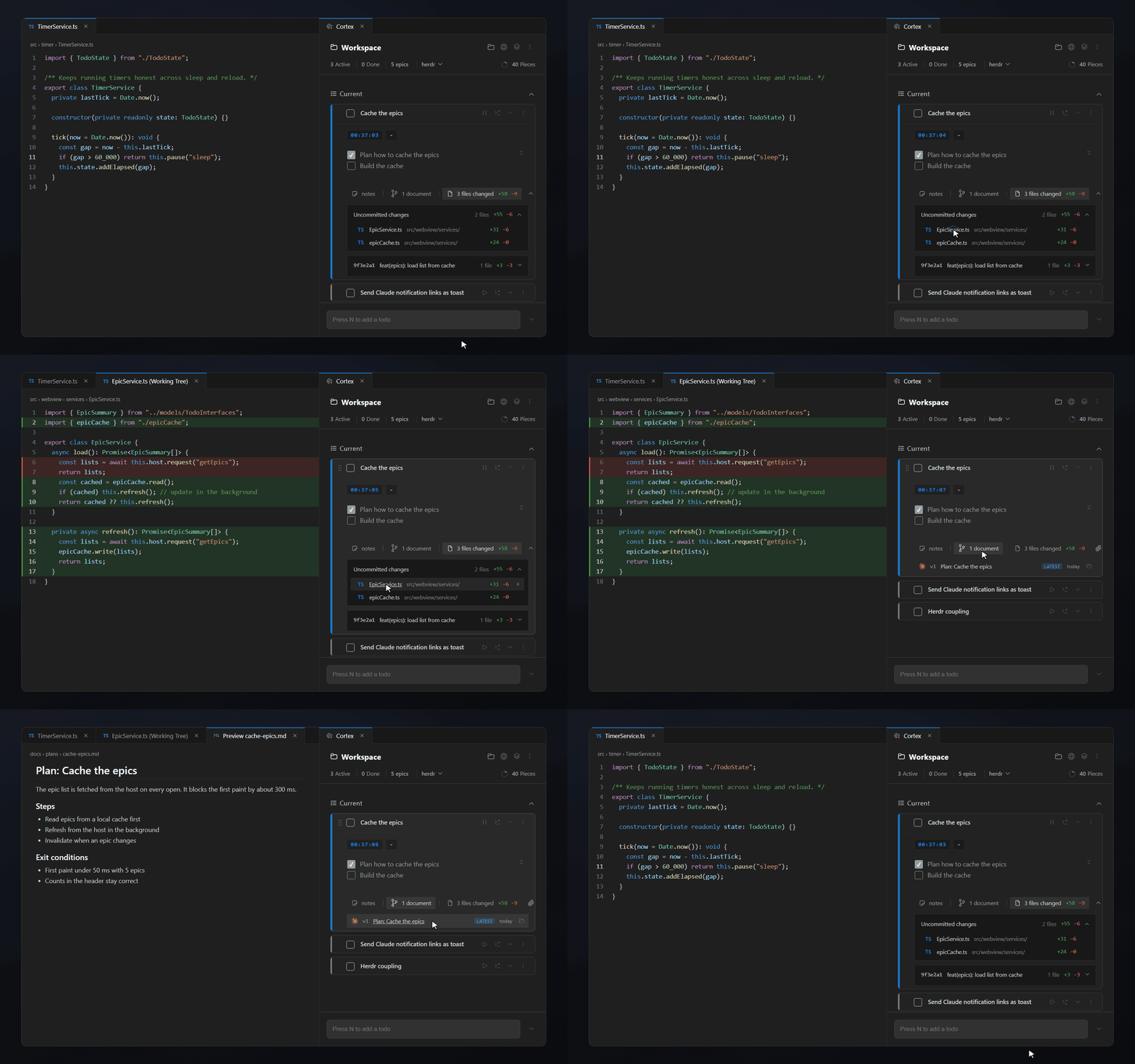
Your editor, your choice
Cortex runs wherever VS Code extensions run. Install it from the Visual Studio Marketplace in VS Code, or from Open VSX in Cursor, Windsurf, VSCodium and other forks.
No. VS Code has no todo list of its own. You add one with an extension. Cortex adds a todo panel that opens with Ctrl+T on Windows and Linux or Cmd+T on macOS.
Yes. Cortex does not touch your code comments. Use comments for notes that belong to one line of code and Cortex for work that needs a description, notes or a timer.
Yes. Workspace todos belong to the folder you have open and live in a .cortex folder inside it. Global todos follow you into every workspace.
Every feature is free for 14 days. After that a licence costs $14.99 once, with no subscription.
VS Code from the Visual Studio Marketplace, and Cursor, Windsurf, VSCodium and other forks from Open VSX.
Start your next task with Cortex. Keep the context ready for tomorrow.
Free for 14 days with every feature. Then $14.99 once.


