
Core Systems
Activity Tracker
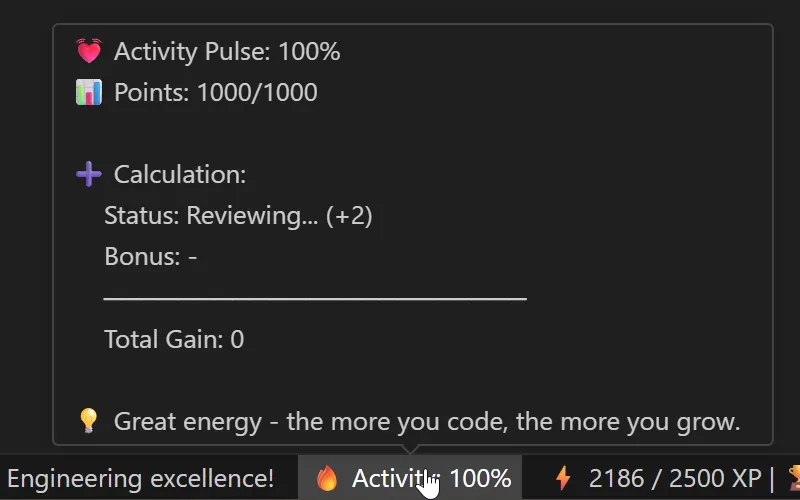
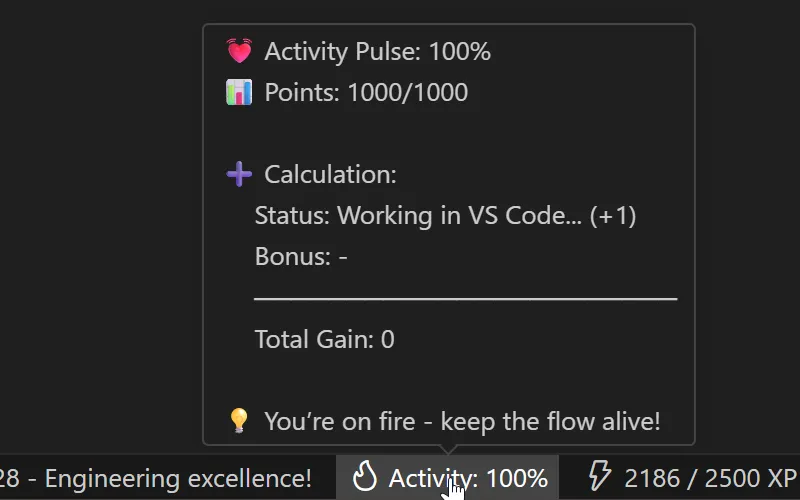
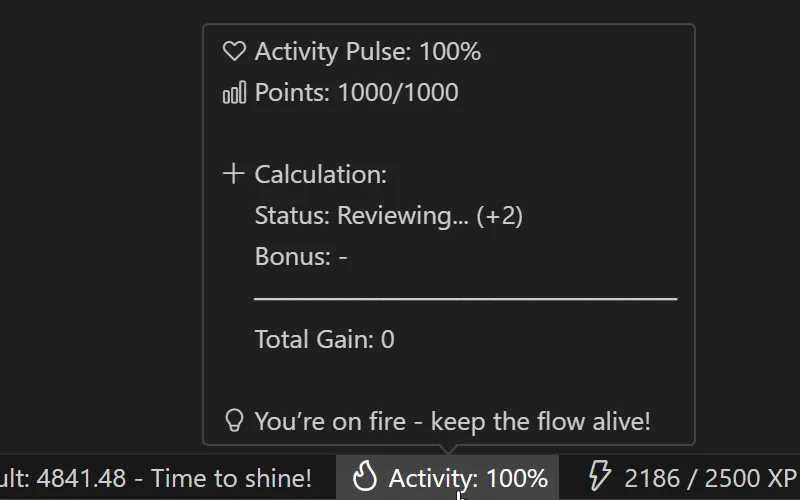
The Activity Tracker watches what you are doing in VS Code and condenses it into a single value, the Activity Score (0–100%). This score is the multiplier for your Focus Points. It decides how many are actually handed out.
The idea behind it is that presence is not the same as concentrated work. An open editor with a few key presses every few minutes should not be worth as much as 20 minutes of real writing, reading or planning.
What is measured
Every 12 seconds the tracker records a snapshot of your activity. For the actual rating, though, only a rolling 2-minute window counts. What you did more than 2 minutes ago no longer matters for the current state:
| Metric | What is counted |
|---|---|
| Keystrokes | Validated key presses (see Anti-Cheat) |
| Lines of Code | Lines written |
| Scroll | Scroll events in the editor |
| Save | File saves |
| Selection | Text selection in the editor |
| Rename / Create | Files renamed or newly created |
| Todo activity | Interaction with Cortex (only the newest data point counts) |
| Terminal activity | Signals coming from the terminal |
| Other VS Code events | Further, more specific editor events |
The 11 states
From these normalized values the tracker derives one of 11 states. They are checked in a fixed priority, top to bottom. The first state that applies wins:
| State | Condition | Points / tick | Idle Detection |
|---|---|---|---|
| Planning... | You are interacting with Cortex right now | +2 | — |
| Working in terminal... | Your last signal came from the terminal, plus a real OS input proof in the last 3 min | +2 | Required |
| Intense | Line and keystroke value above a certain threshold | +5 | — |
| Moderate | Line and keystroke value above a certain threshold | +3 | — |
| Reviewing... | Scroll, selection, save or rename/create events over a sustained time, or any keystroke below the Moderate threshold (small corrective edits while reading) | +1 | — |
| Working in VS Code... | VS Code is focused and the OS sees fresh input, or, without Idle Detection, any raw editor event | +1 | Optional |
| Working outside VS Code... | At the PC (OS input proof), but VS Code unfocused, as long as the outside-work battery is not empty | +1 | Required |
| Working extended outside... | Still at the PC outside VS Code, but the battery is empty | −2 | Required |
| Idle | No activity for 3 min (focused) or 5 min (unfocused) | 0 | — |
| Ready | Points store at 0 and no active state matches (see below) | 0 | — |
| Cooldown (inactive) | Fallback when none of the above apply | −3 | — |
These names describe what is happening right now. In Time Trackingthe same time is grouped into broader reporting categories, so a few names differ there on purpose: "Working in VS Code..." is charted as General Work, and Intense, Moderate and Reviewing are folded into Coding and Review.
What does "Idle Detection required" mean?
Some states need an OS input proof. That is your operating system's record of the last time you touched a key or the mouse, anywhere on the PC, not just inside VS Code. Without that signal, LevelUp cannot tell these states apart, so it falls back to Idle or Cooldown instead. See Idle Detection.
Time outside VS Code & the battery
While you work, you may not be spending all your time in VS Code. To count that time too, LevelUp combines idle detection with a battery system and VS Code's focus event.
- Working outside VS Code: you are probably at the PC but have left the editor. That counts as light active work. Your score keeps rising slowly (+1/tick), and Vault and todo time keep running.
- Working extended outside: the "Working Outside" battery time is used up. At this point it is probably no longer coding work, so your score slowly sinks (−2/tick).
The battery (max. 10 minutes) replaces a fixed timer. Leaving VS Code drains it 1 minute per minute. Working in the editor refills it twice as fast, up to the 10-minute cap. At zero, "Working Outside" becomes "Working Extended Outside".
Check the current charge anytime with LevelUp: Check Outside Work Battery.
The score changes gradually, not instantly
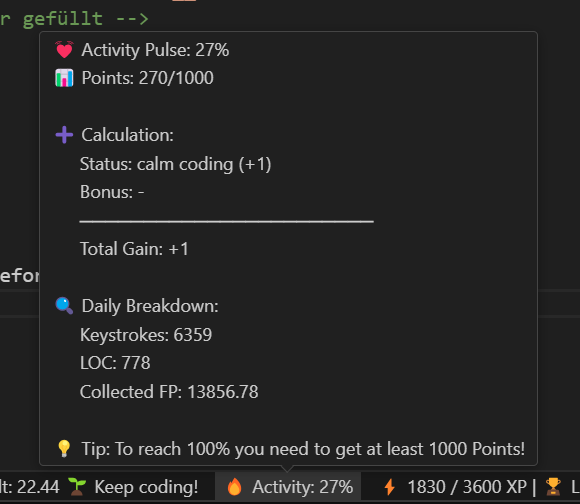
Your Activity Score does not jump to the "right" value the moment you start typing. It is a points store (0 to 1000 internally, shown as 0–100%) that changes every 5 seconds by the point value of your current state, rising in active states, falling only during "Cooldown".
That means you need continuous activity over several minutes to go from 0% to 100%.
| Continuous state | Time from 0% to 100% |
|---|---|
| intense (+5/tick) | about 17 minutes |
| moderate (+3/tick) | about 28 minutes |
| todo / terminal / reviewing (+1/tick) | about 42 minutes |
| vscode-work / working-outside (+1/tick) | about 83 minutes |
| With an active daily bonus (+2/tick on top) | noticeably faster |
The score winds down just as slowly. In the "Cooldown" state (−3/tick) a full decay from 100% to 0% takes around 28 minutes, and in the "Working Extended Outside" state (−2/tick) correspondingly around 42 minutes. In the "Idle" state nothing happens at all. The score holds its value as long as you stay within the 3- or 5-minute window. So a short coffee break costs you no progress.
The difference between Idle and Inactive
- Idle: no activity events were registered (up to 3 min with VS Code focused, up to 5 min when VS Code is in the background). The score holds its level.
- Inactive (Cooldown): the idle time has run out with nothing happening. Now the score starts to sink.
The ready state
When your points store reaches 0 and no active state matches, the tracker shows "ready" instead of "Cooldown", a plain label for "nothing lost, nothing happening yet". The points store itself can never drop below 0.
The transition from "ready" back into an active state still triggers the daily bonuses below: "Start of the day" on the first activity of a new day, "Welcome Back" on every later return from a low score.
Daily bonuses
Two time-limited bonuses give you +2 extra points per tick, so getting back in goes faster:
| Bonus | When active | Duration |
|---|---|---|
| Start of the day | On the first return from "ready" on a new day | 20 minutes |
| Welcome Back | On every further return from "ready" when your score was below 20% | 5 minutes |
Only one of the two bonuses is ever active at a time. Start of the Day takes precedence.