
Core Systems
Dashboard
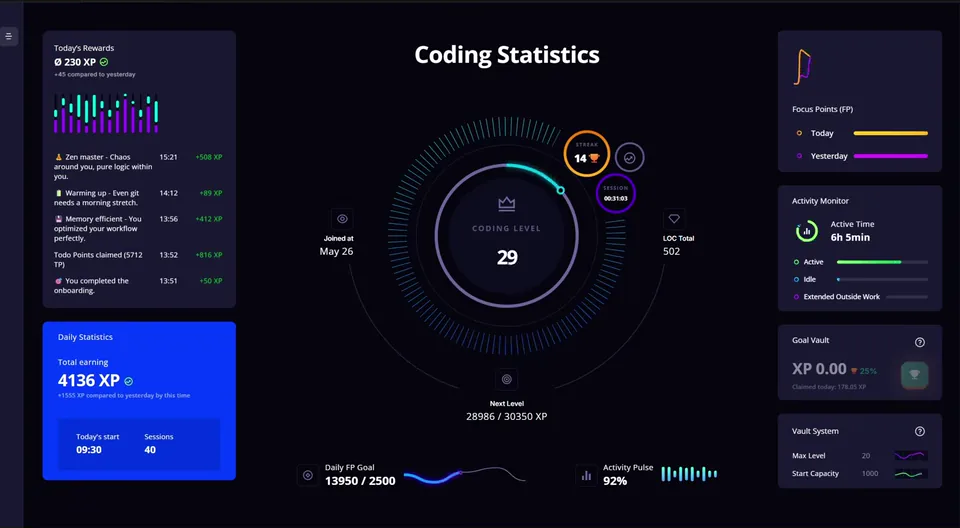
The dashboard is the overview page of your progress. Most widgets on it only show values you already know from the previous chapters: player level, Vault, Activity Score. One system does appear here for the first time, though, and that is the Daily Goal.
How to open the dashboard
Either via the XP status item in the status bar, or via the VS Code command palette with Open LevelUp Dashboard.
What you recognize
These widgets are pure views onto mechanics already explained. Here is what each one shows:
| Widget | Shows |
|---|---|
| Level circle | Your player level and the XP progress to the next level |
| Vault widget | Your current maximum Vault level & capacity (Vault) |
| Activity Widget | Today's time tracking (Activity Tracker) |
Player level and its milestones
Your player level sits in the middle of the dashboard and only ever goes up. It rises with every XP gain you make, so the level circle is the one number that carries your whole history.
Every fifth level up to Level 50 marks a milestone, celebrated with a quote, a few stats, or a reminder of how much time you’ve already invested in your coding journey.

Activity Widget
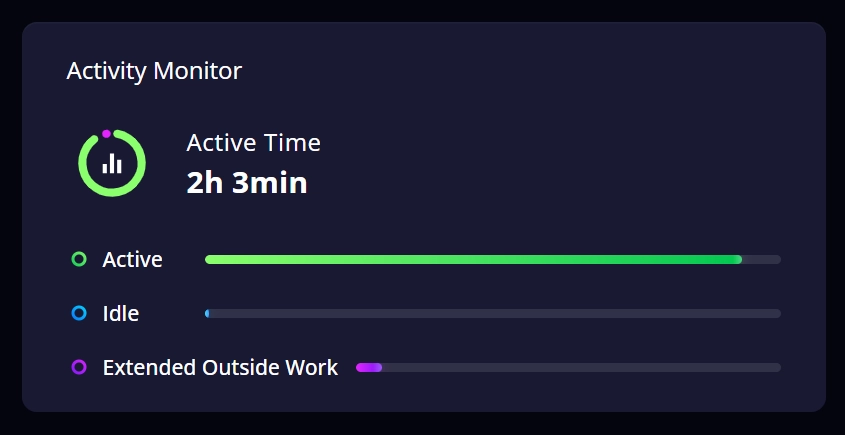
The Activity Widget on your dashboard shows today's time tracking at a glance, the same values the Activity Tracker already keeps for you.
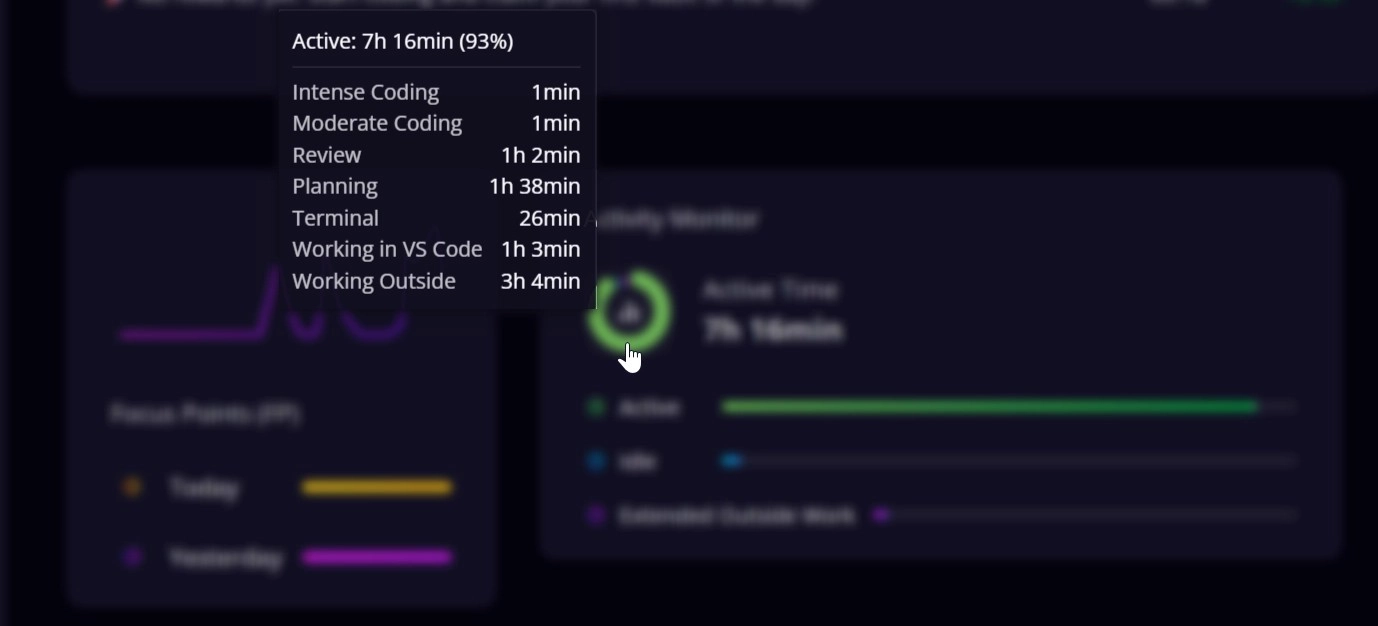
Hovering the Active slice reveals a per-state breakdown : Intense, Moderate, Reviewing, Planning, each in hours and minutes.
Rewards & statistics
Last Rewards is a log of today's claims. Every XP gain shows up here individually with the time and the XP amount, plus the average per claim.
Daily Statistics sums up the day: today's total XP (the sum of all claims), a comparison to yesterday at the same time or to your last dashboard visit, when your first activity today was, and how many sessions you have had today. The claim button here triggers the same Vault claim as clicking the Vault in the status bar (Vault).
The Daily Goal, a second and separate target
Alongside the Vault there is a daily FP target, 2,500 FP by default and adjustable. It runs completely in parallel to the Vault and works differently:
- Every FP you earn flows straight into a separate bonus pot at a conversion rate of 22 FP = 1 XP (clearly worse than the Vault rate of 5 FP = 1 XP; the Daily Goal is a bonus on top, not a replacement for the Vault claim).
- Once the goal is reached, the claim button for the bonus pot unlocks. Clicking it pays out the collected amount as XP and marks the goal as collected for today.
Streak bonus
The paid-out amount is additionally boosted by your streak, the number of consecutive active days:
| Streak | Bonus |
|---|---|
| 1 day | +1% |
| 6 days | +6% |
| 7 days | +14% (base +7, plus milestone +7) |
| 14 days | +25% (base +14, plus both milestones +7 and +4) |
| 19 days | +30% (base +19, plus both milestones) |
| every further day | +1% more |
So the bonus grows by one percentage point each day and gets a one-time jump on top at day 7 and day 14.