
Fair Play & Tuning
Notifications
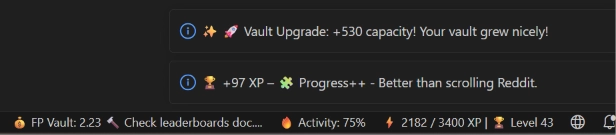
Progress that nobody notices does not feel like progress. LevelUp reports the important moments over two independent channels: visible toast notifications and optional sounds, both deliberately built so they do not annoy.
The toast notification
Most messages appear as a notification with a visible progress bar and then close automatically after 11 seconds by default, adjustable or fully switchable off. Error messages are the exception. They stay until you close them yourself, because they really do need your attention.
What typically triggers a message
| Moment | Chapter |
|---|---|
| XP claim from the Vault | Vault |
| Vault level-up with capacity roll | Vault |
| New Vault Max Level ("Personal Best") | Vault |
| Start capacity rises through your player level | Vault |
| Daily Goal claim | Dashboard |
| Todo / Pieces claim | Cortex |
| Spam block while typing | Anti-Cheat |
The XP counter animation
New XP do not jump to the new value in the status bar immediately, but count up visibly.
Sounds
Sounds are disabled by default and play instantly, without delay, through a small background sound process. The master switch, every individual toggle, and the claim style options are all in the Sound chapter.
Why so restrained?
A system that flashes or chimes at every small bit of progress quickly becomes a distraction instead of motivation. You are always the one who decides when something should happen.